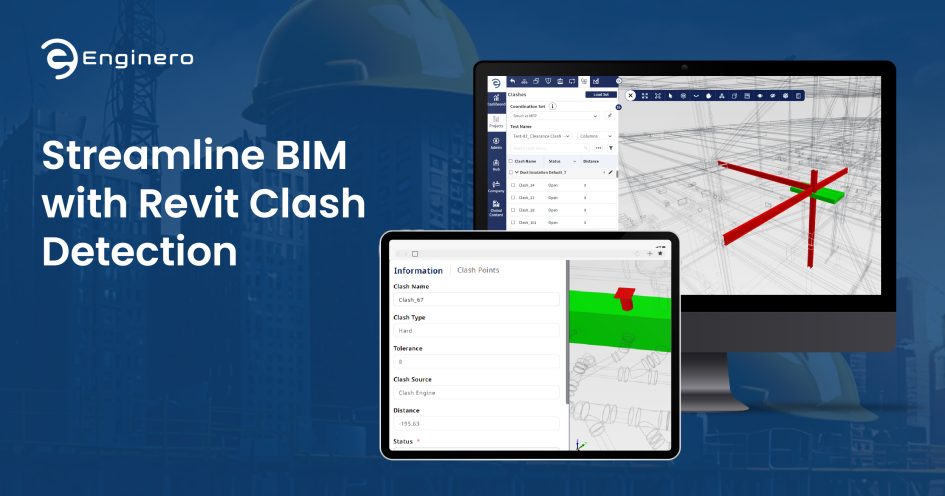
In Building Information Modelling (BIM), it is crucial to produce accurate models with efficient collaboration with the project teams. One such BIM application is Autodesk’s Revit, a comprehensive tool that enables multidisciplinary design and coordination with its unique BIM features. One of the critical elements in BIM is Clash Detection, the identification and resolution of conflicts when different models are unified.
By implementing robust clash detection systems, Revit users can streamline the clash detection and resolution processes, which save time, reduce rework, and improve project efficiency. In this article, you will gain a deep understanding of the steps and Revit Clash Detection strategies to detect and resolve clashes within a Revit project.
Importance of Clash Detection in BIM Workflows
Clash detection facilitates coordination among multidisciplinary teams, architects, structural engineers, MEP designers, and contractors. This allows potential designs that present conflicts to be discovered, reducing the construction delays to be affected and the various trades to agree.
Detecting errors before they go to the construction site definitely makes building easier and more efficient.
Clashes in Construction Designs
Clash detection is one of the BIM processes involving inspecting a combined model for spatial conflicts of its various components. It usually occurs on a federated model; that is, an aggregated model of individual contributions from a variety of disciplines. Typical clashes may be ductwork intersecting with beams, pipes with walls, or equipment with structural elements.
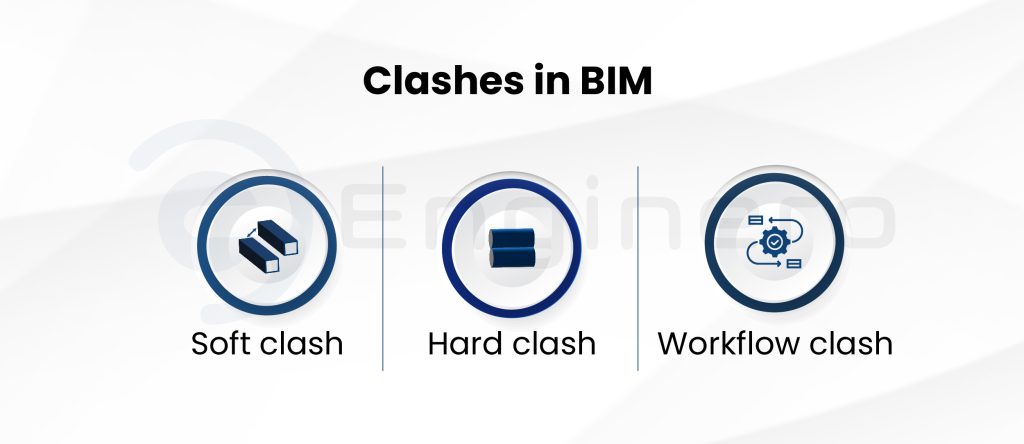
These clashes are generally classified as,
- Soft Clashes: These clashes affect the functionality of designs and components. They can occur when there is a lack of gaps and clearances.
- Hard Clashes: These are the direct physical interference of two or more elements, like the interference of duct in a beam.
- Workflow Clashes: These clashes are not directly related to design elements. They occur when there are discrepancies in the workflows, supply, labor, and more.
Steps for Effective Clash Detection in Revit
It is important to take a structured approach, ensuring that all models are well-prepared, properly aligned, and coordinated across every discipline involved.
Model Preparation
Obtain all the models from various trades and remove the unnecessary elements from the designs. Ensure that every model is up-to-date and fix the corrupt/erroneous elements.
Ensure Coordinates
It is crucial to have a common coordination system. Make sure that every model is aligned with the standard coordinate system. Misaligned models produce erroneous alignments.
Federated Model Preparation
Create a unified model by combining all the designs from different trades, known as a federated model. After preparation, ensure that every model is imported properly, without losing any components.
Describe the Criteria for Clash Tests
Tolerance
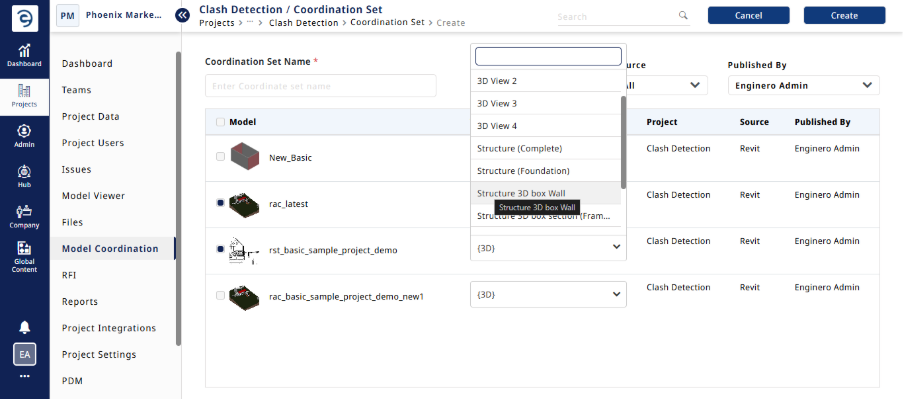
Not all model/element interferences are clashes. Some clashes are a part of construction, like the placement of doors inside a wall. Provide a tolerance limit to filter out the unnecessary clashes.
Categories
Define some categories so that clashes are arranged properly. The categories could be the classification of clashes by specific systems, floors, and entities.
Priority
Define a priority or severity level of clashes. This makes the task simplified and helps designers prioritize the clash resolution as per the norms.
Selection of Clash Detection Tools
Before selecting a clash detection tool, ensure that the tool suits your needs. These are the basic points to consider when you are selecting a tool for Revit clash detection.
- Integration of the Clash Tool with Revit
- Effective Collaboration
- Effective reporting and Change management.
- Issue creation
- Simplified architecture with robust features
Revit has an inbuilt interference checking option to detect basic clashes in the single model or with linked models. It is suitable for early phases and not highly scalable. To detect high-level clashes and effectively manage them, Revit should be integrated with some advanced clash detection tools.
When integrated with tools like Navisworks and Enginero, Revit produces outstanding results. Navisworks is an effective clash detection tool by Autodesk, which is used to detect clashes along with features like clash filtering, tolerance settings, and much more.
Enginero is an advanced construction and design management platform that integrates with Revit seamlessly, ensures bi-directional data transfer, and offers utmost collaboration to the designers who work in collaboration with other designers on Revit projects. Cloud from Revit cloud collaboration, Enginero has a robust clash detection engine that detects the soft and hard clashes with custom tolerances. Also, users can customize the grouping and elimination criteria for the clashes to be detected.
Run Clash Tests
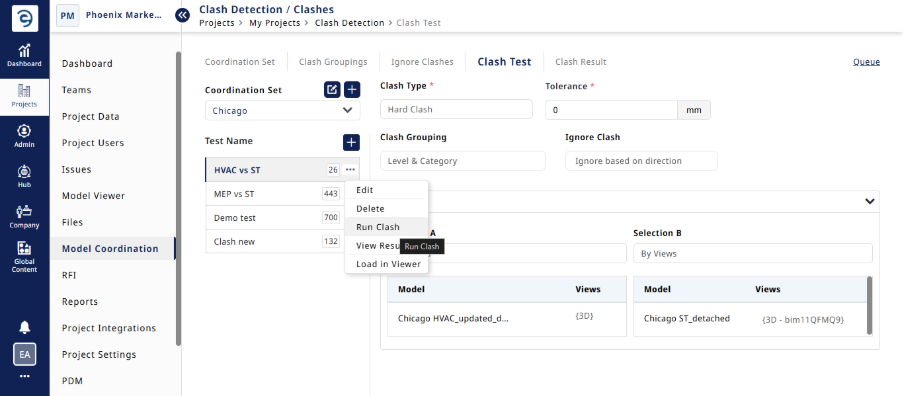
After setting the criteria, using the required clash detection tool, run the clash tests. It will give you the detected clashes from the federated model. This helps you identify the regions that need to be fixed before going live.
Clash Resolution & Reporting
Once the clashes are identified, the next step is to communicate them to the respective stakeholders and their teams in order to fix them. This involves stakeholder coordination meetings to fix the issues.
After fixing those issues, the federated model will be updated, and a keen review will be made if the clashes are addressed properly.
Make sure clash reports are updated after resolution and circulated to the project team. This ensures that all team members are made aware of changes.
Best Practices for Revit Clash Management
Utilizing Collaboration Tools
Collaboration tools for effective Revit cloud collaboration and design data management, like Enginero, help you to access real-time clashes and their associated reports, streamline issues and RFI management, and communicate changes & versions of Revit models.
Regular Coordination Meetings
Coordination meetings bring all the stakeholders together to discuss model federation and strategies to solve clashes. This involves going through the identified clashes and discussing the potential solutions for each issue. Each stakeholder offers their insights based on their expertise, which helps in evaluating different perspectives on the clashes.
Model Investigation
Regular model reviews in the early stages help you prevent the clashes before federation. Checking alignments and standardizing coordination systems helps you mitigate or lessen the clashes on hand.
Proper Documentation
Comprehensive documentation of the clash resolution efforts creates an audit trail to evidence the due diligence by the company and equips the company with valuable reference information for yet similar future encounters with such clashes.
Standardized Workflows
Prepare standard workflows for the clash management. Standardize the procedures, not only for clashes and for designing and reviewing Revit models as well. Use standard protocols and maintain compliance in every project aspect.
Conclusion
Wrapping up, Clash detection in Revit is vital for BIM coordination and helps resolve any design inconsistencies early on in the project life cycle. Following a set of structured principles, beginning with model preparation, including communicating clash criteria clearly and choosing appropriate clash software, can minimize errors, save time, and increase collaboration.
Another best practice involves ongoing clash coordination meetings, proper documentation, and agreed-upon clash workflows to guarantee smooth project execution and avoid expensive rework on-site. Ultimately, robust clash detection enhances overall project efficiency and quality in multidisciplinary BIM environments.
Leave a Reply