What 3D Model Federation does?
Enginero™ 3D Model Federation streamlines your design process with features like Native Integration with leading CAD & BIM Software, Federated Model Management, Interactive Model Viewer, 3D DiffChecker™, SmartApp™ with Offline Support, Intelligent Issue & RFI Management and Document Management. Integrated Common Data Environment (CDE) with centralized data compliance, advanced admin controls and customizable workflows give complete control over the design process.
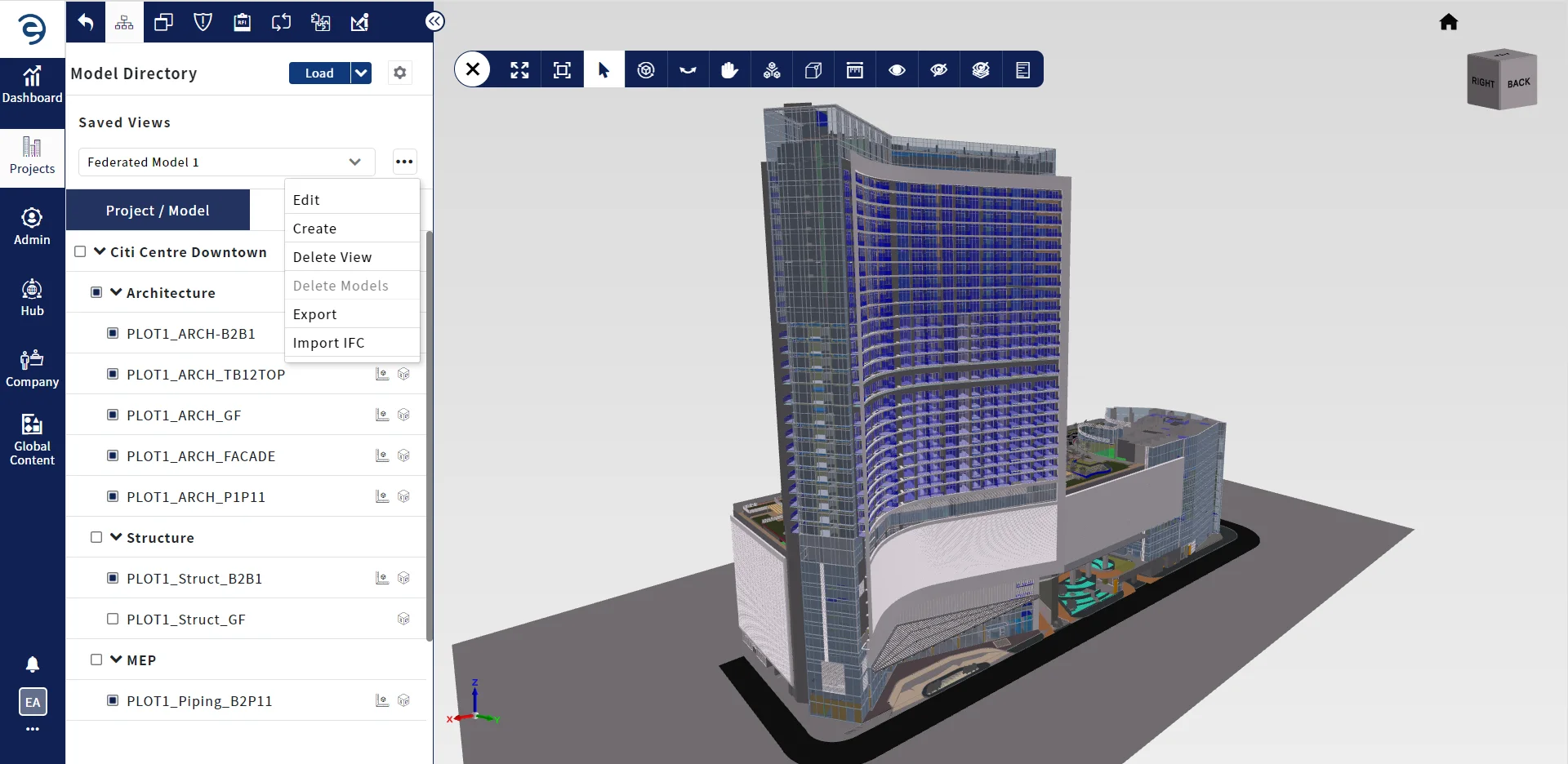
Federated Model Management
Enginero™ offers comprehensive model management, with native integration to CAD authoring tools which ensures seamless compatibility streamlining the workflow for greater efficiency.
-
 Manage Versions to track and control evolution of models through its project lifecycle
-
Supports Import and Export of IFC files
Interactive Model Viewer
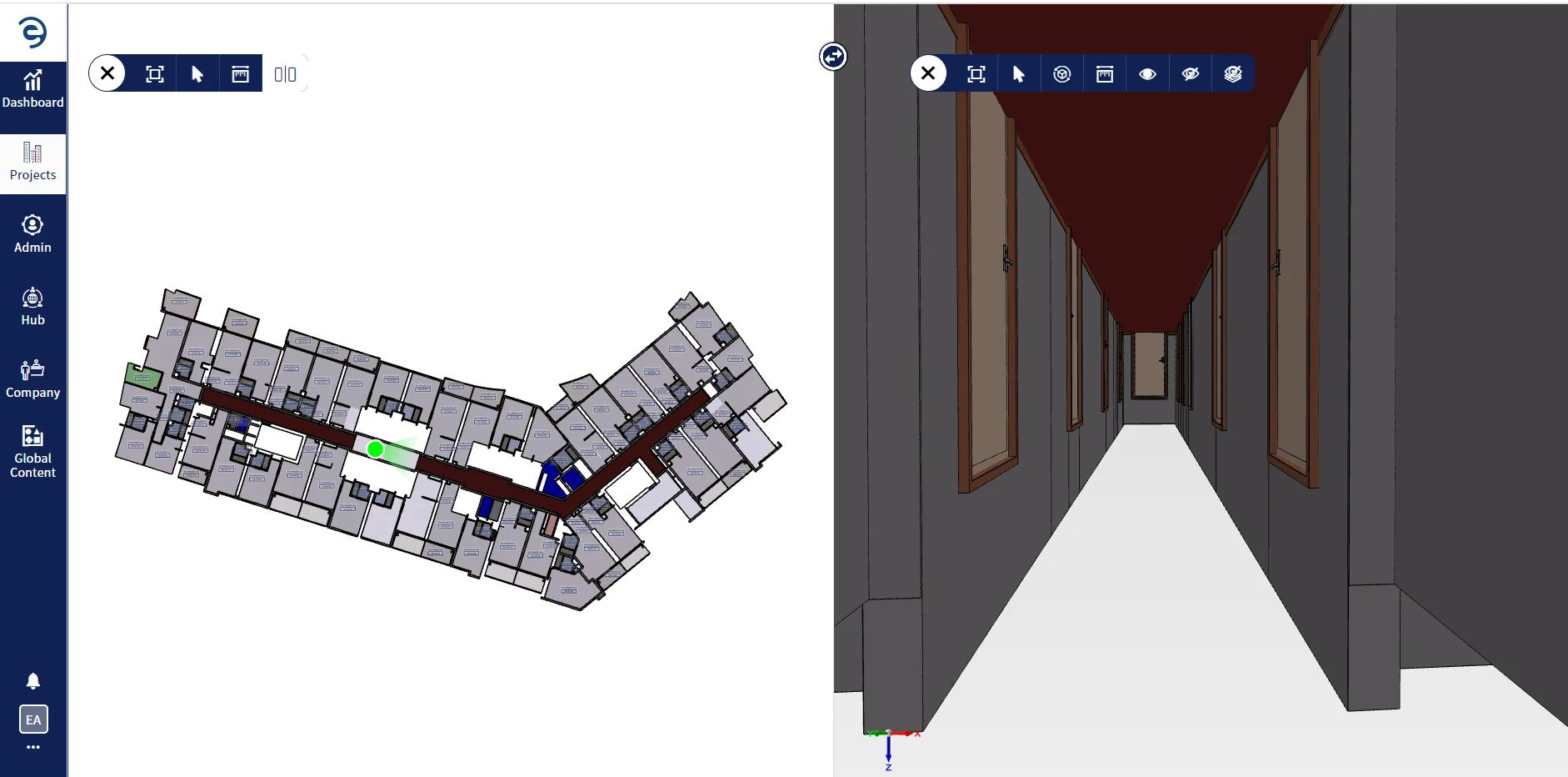
Enginero™ model viewer offers a seamless viewing experience with the web and app based viewer. Offers a slew of features such as model coordinates transformation, measurement, model review, 3D DiffChecker™, floor plan to 3D navigation, etc.
-
Enhanced model review with measurement, sectioning and clipping options
-
Customize and save views based on project requirement
Native Integration with leading CAD & BIM Software
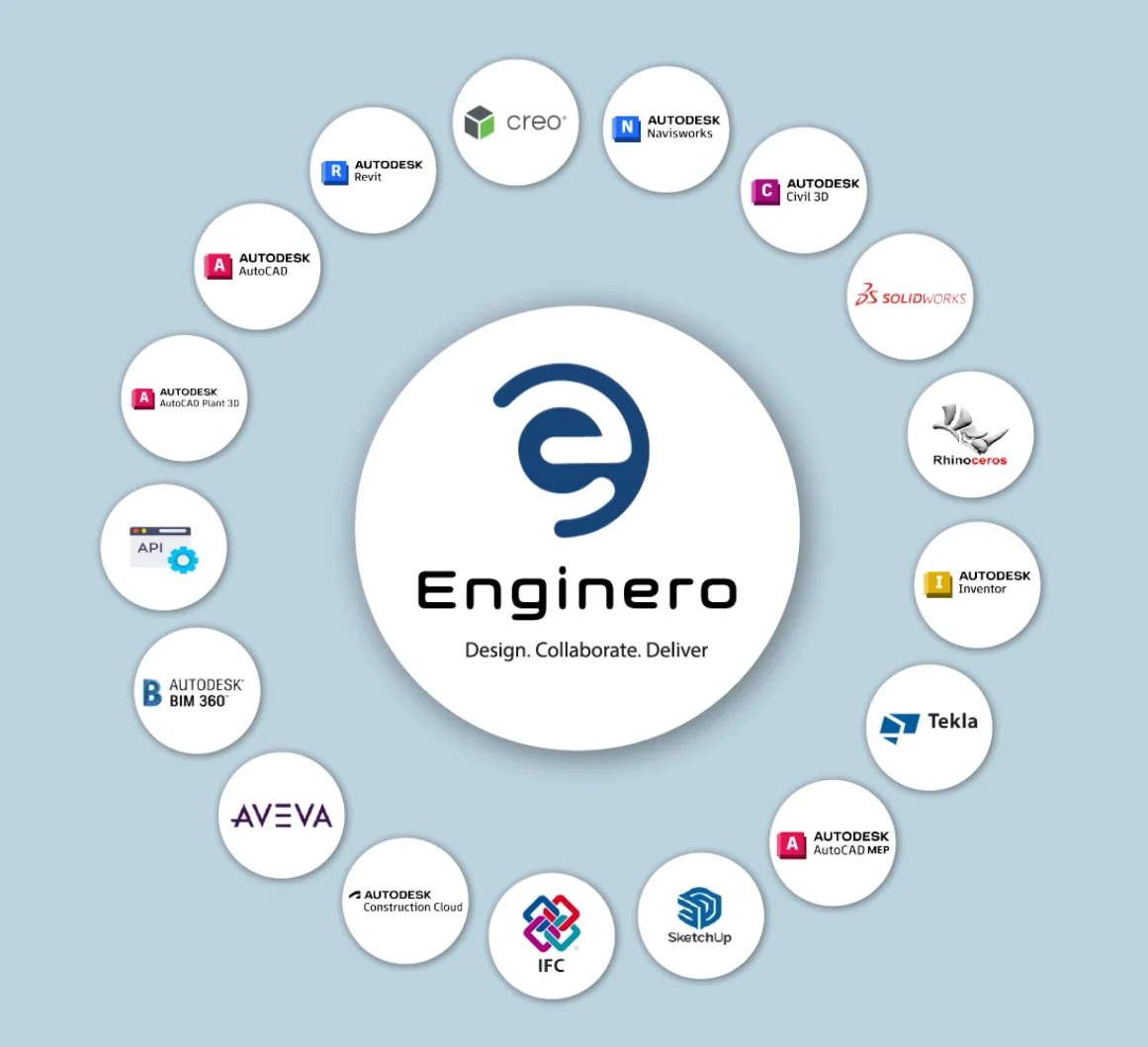
Enginero™ 3D Model Federation offers seamless integration with leading CAD and BIM software, extracting design data and storing it in a common data environment enabling stakeholders to collaborate from a single source of truth regardless of the software they use.
-
 Change management for easy update of the models with the delta
-
Easy scalability and integration with more native applications
Document Management
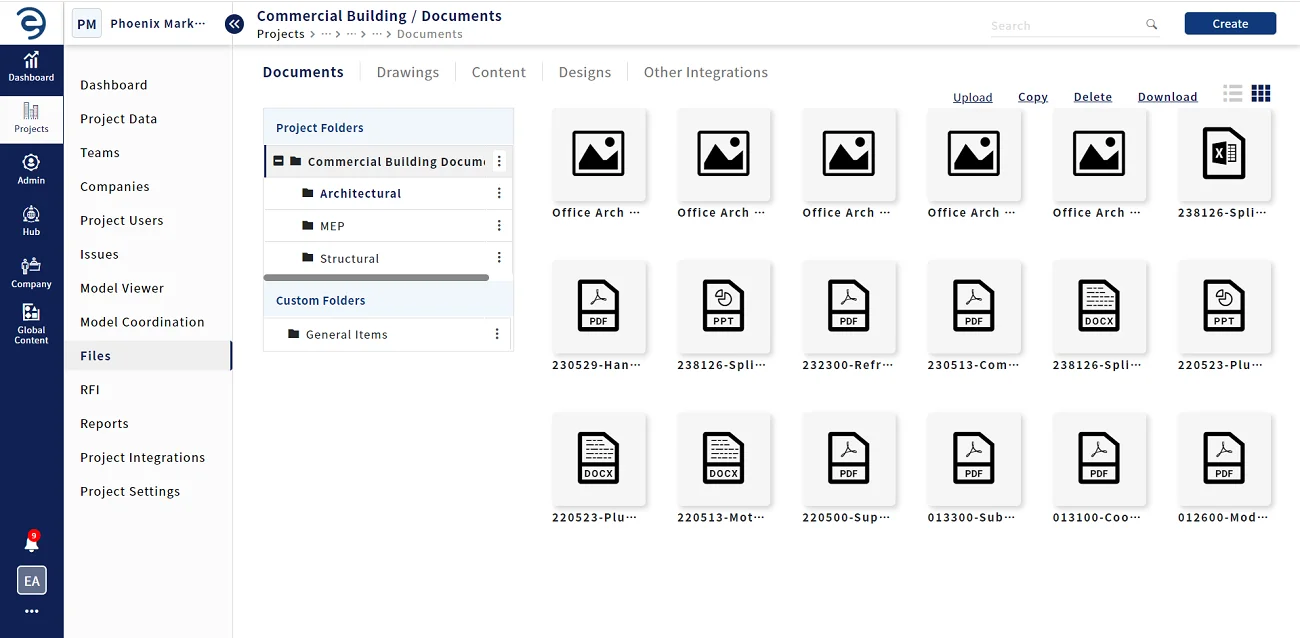
Document Management acts as a central repository for all the project related documents which will enable the users to create, maintain and modify them and access from anywhere anytime.
-
Track iterations and revisions of all documents with secured access control
-
Customizable workflow for the document approval process
Intelligent Issue and RFI Management
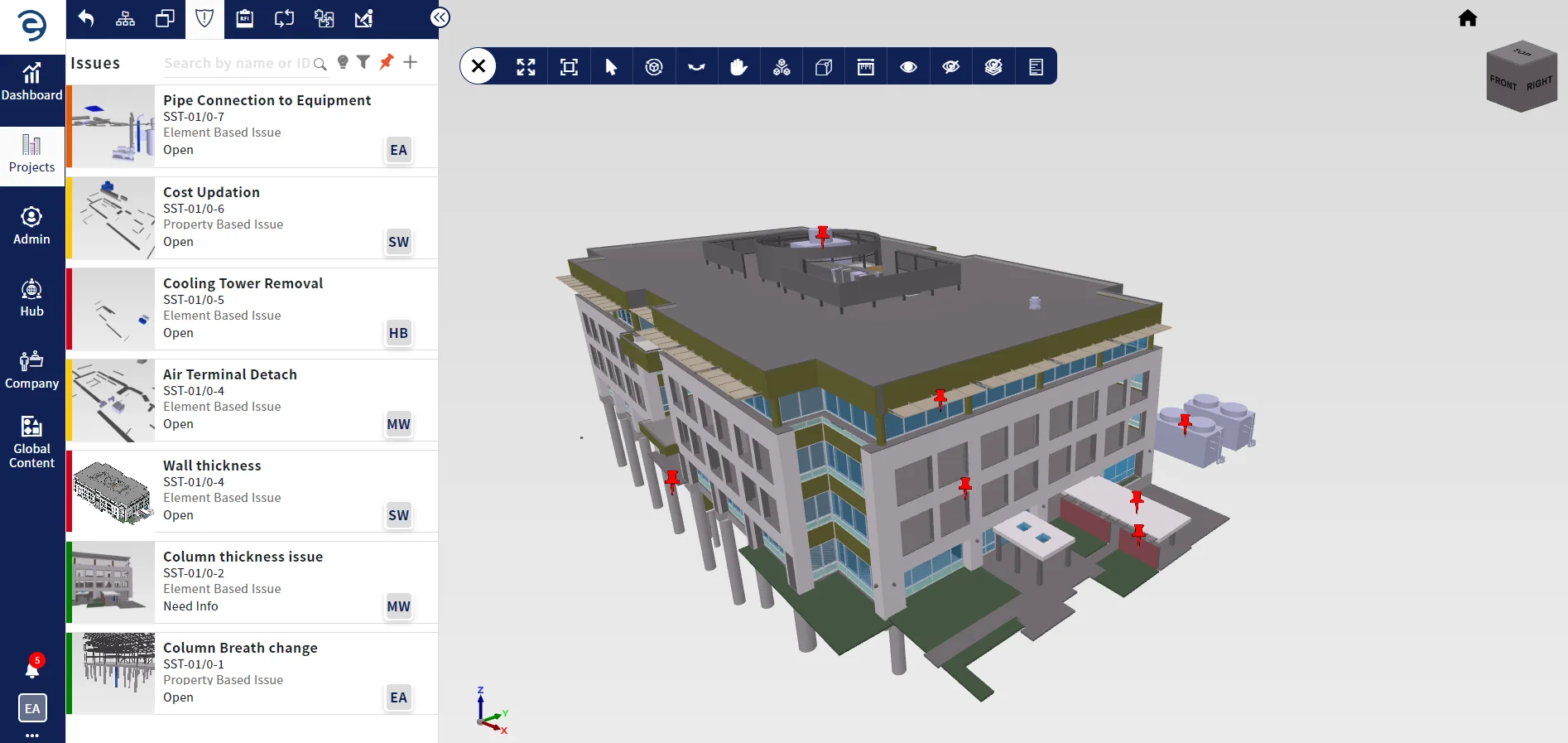
Enginero™ offers real-time integrated issue and RFI management with the ability to tag issues and RFIs to BIM elements and Parameter information. Generate reports in BCF, CSV & PDF formats and schedule them for coordination meetings
-
Bi-directional element-based issue enables staying up-to-date in both Enginero™ and the native
CAD application.
-
Assign issues to users and save time by automatically resolving issues with customizable
workflows for issue and RFI approval processes
Project controls
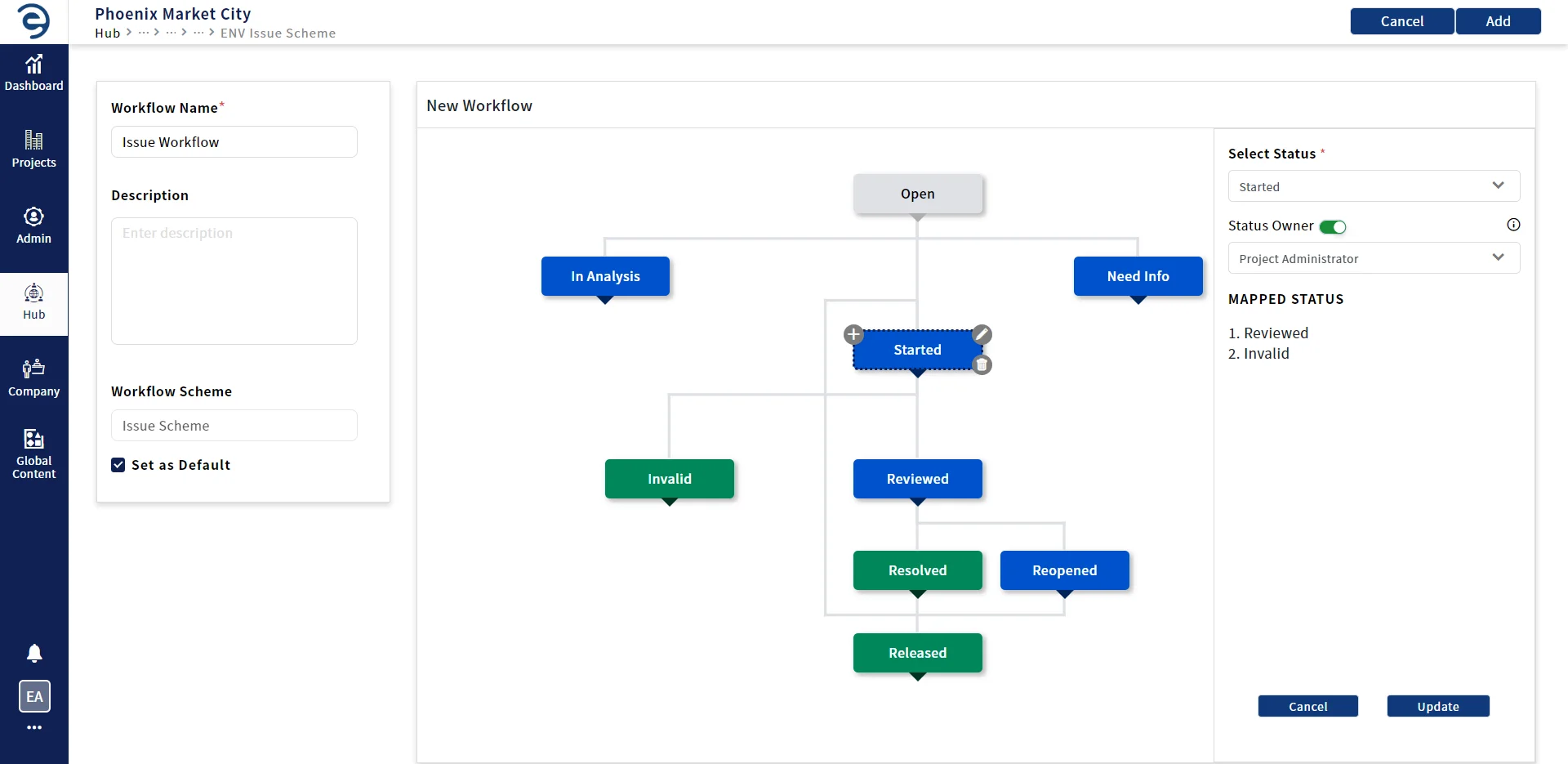
Enginero™ provides customizable user roles & permissions, access management and vendor control. Seamlessly manage the projects with advanced admin controls, customizable workflows and templates.
-
Efficiently create and manage business units & vendors
-
Facilitate sign-on using Windows Active Directory (AD) authentication
Device Support
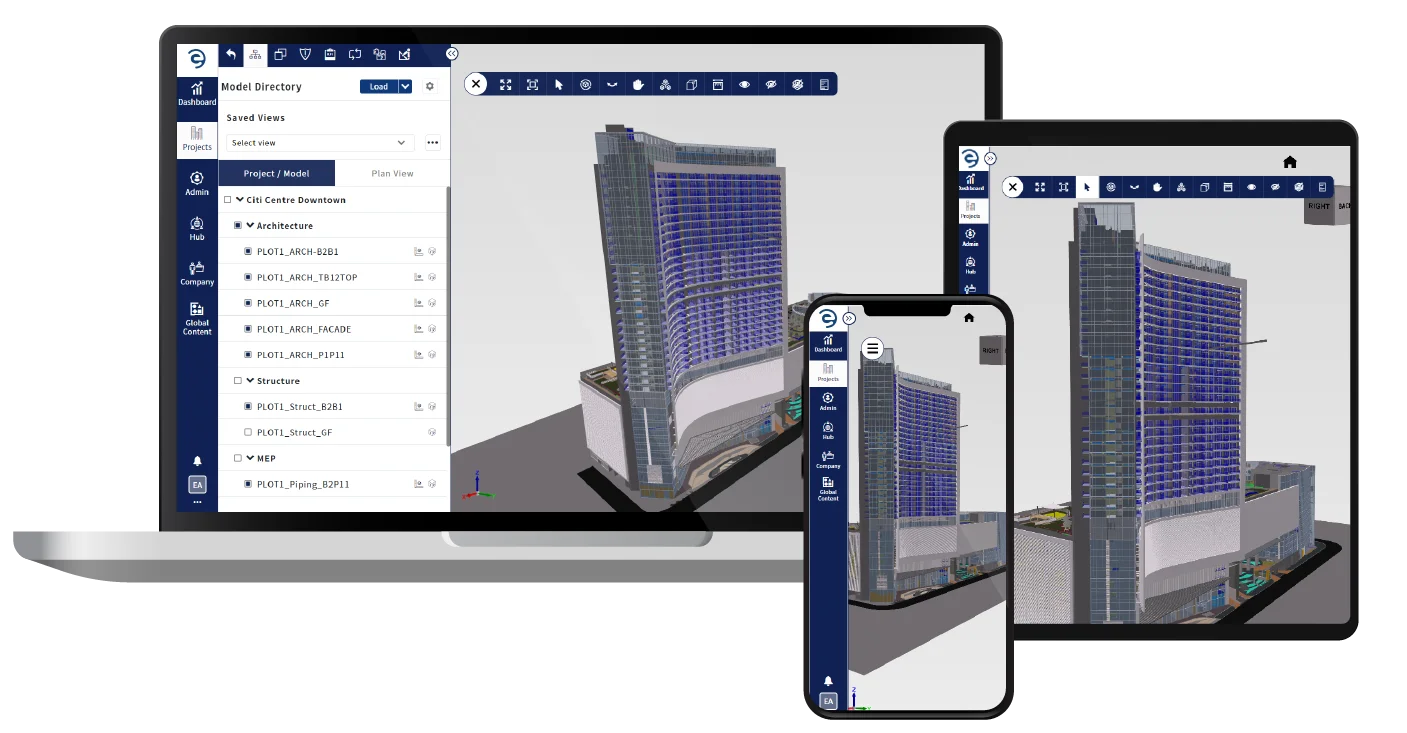
Enginero SmartApp™ is compatible with any device such as Windows, iOS, Android and Mac. With this app, access the projects, issues, RFI, and user management from anywhere, on any device. Stay up to date on the status of your projects and metrics, no matter where you are.
-
SmartApp™ can be accessed offline, allowing you to continue working even when an internet
connection is not available
Project Metrics and Reporting
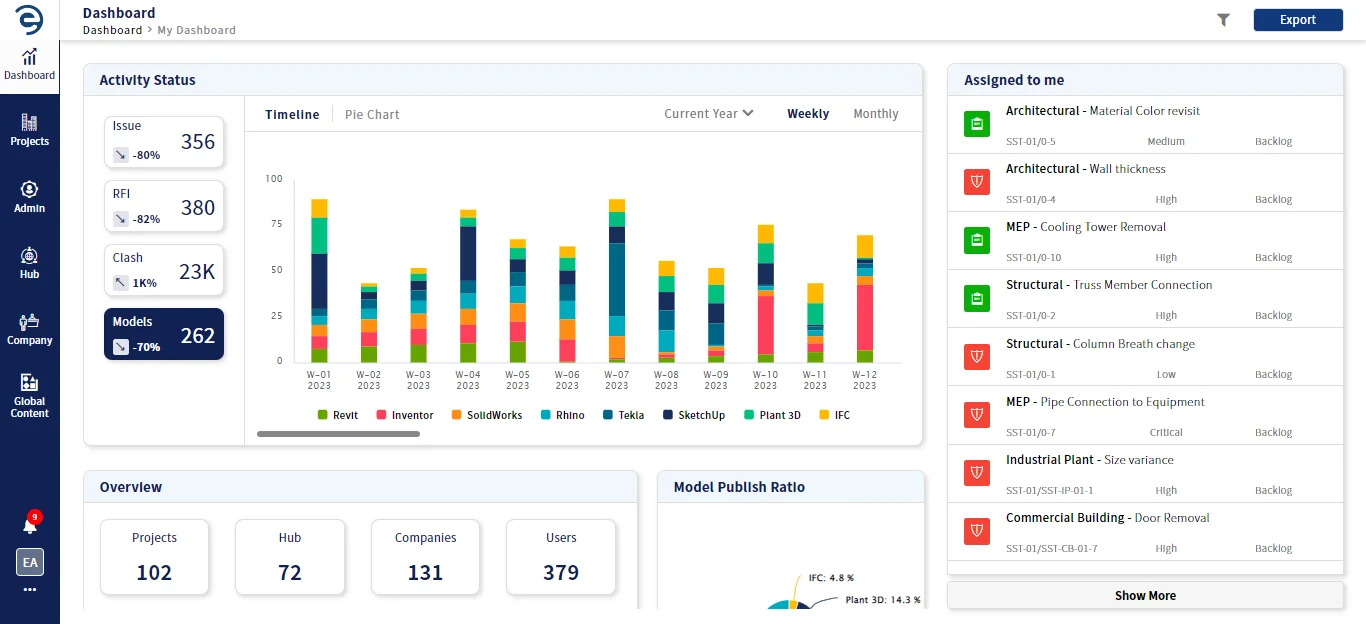
Enginero™ provides customizable project-level dashboards, empowering you to gain a holistic view of your project's progress. Prioritize daily tasks and track progress against goals with actionable lists. Maximize productivity and drive your projects forward with valuable insights. Take control of your projects today.
-
Monitor the real-time metrics of your projects
Ready to take the next step?
Our team is committed to providing top-notch support, ensuring that your product experience is nothing short of wonderful. Schedule a quick call with one of our product specialists today and see for yourself what makes our product stand out from the rest.

Frequently Asked Questions:
-

951 W. Yamato Road
Suite 290
Boca Raton, FL 33431
-
 inquiry@enginero.com
-
 +1 (614) 468-8976