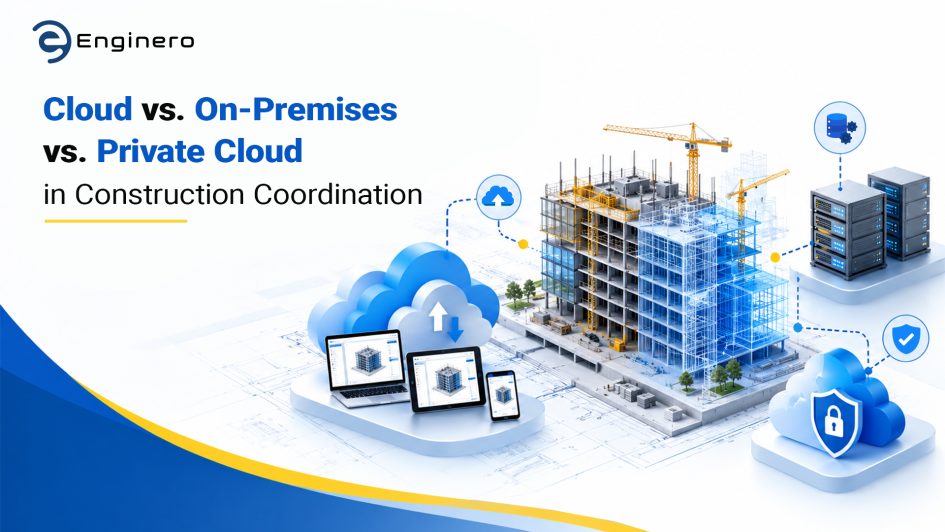
In 2026, AEC teams have completely digitalized their workflows and operations, from planning and design to execution and management. With the rise in demand and project complexity, AEC teams are looking for better coordination solutions, secure storage, and scalability. Implementing cloud services, whether on-premises, private cloud, or public cloud, is not just about technology; it’s all related to strategy, decision-making, and growth in a competitive workspace.
Teams working remotely expect quicker and more accurate cloud collaboration. They also expect insights right away. AI tools are part of daily work in many places. With the right setup, projects tend to run more smoothly. One such best platform for design coordination with cloud collaboration is Enginero, a comprehensive platform that seamlessly unifies these workflows by offering AEC coordination, high-speed remote access, and built-in AI insights.
This blog breaks down three different cloud deployment systems: public cloud, on-premises, and private cloud. This blog also reviews what is likely to influence choices for construction teams in 2026.
Cloud Deployment in Construction
AEC teams deal with various digital platforms: project management, design software, clash detection engines, design data management, and communication tools. Implementing these technologies requires a standard, robust cloud deployment platform. Here are three widely used ways to deploy them in projects.
1. Cloud (Public Cloud)
Public cloud platforms like AWS, Google Cloud, and Microsoft Azure provide cloud resources, helping teams deploy to the cloud on their projects, store, manage, and access data from anywhere. Teams follow the same architecture as provided by the cloud service provider/platform and delivered over the internet.
Pros:
- Highly scalable: Public cloud is suitable for every project. There is no fixed size for public cloud services; teams can scale the cloud services as per the project needs
- Cost-effective: These cloud platforms are pay-as-you-go. There are no mandatory needs or high upfront costs.
- Less IT Intervention: Public cloud systems need less maintenance and are highly suitable for teams with limited IT resources.
- Maintenance-free: Public cloud systems do not need regular maintenance or extensive hardware.
Cons:
- Security concerns: Large firms dealing with highly sensitive data face troubles while dealing with public cloud services.
- Dependency: Public cloud needs high-speed and seamless internet to access/manage project files.
2. On-Premises
On-premises cloud platforms include hosting applications in the local network under the control of the organization’s local network. Unlike public cloud, on-premises grants full control to the organization’s IT team and architecture.
Pros:
- Controlled Data: Organizations have full access and control over the project data, Infrastructure and is ideal for sensitive projects.
- Customization: Infrastructure can be customized based on the project requirements.
- Performance: Teams can expect consistent and excellent performance.
- Dependency: No internet dependency; teams can deal with their projects even offline. However, for downloading and syncing updates, internet is required.
Cons:
- Upfront costs: On-premises comes with a higher cost and requires hardware, robust IT support, and supporting software.
- Maintenance overhead: Regular maintenance and updates are needed. Organizations are required to back up and secure their data with security patches.
3. Private Cloud
Private cloud provides a dedicated cloud environment for a particular organization. These services can be hosted either on-premises or by third-party providers. However, private cloud offers higher scalability compared to other cloud services.
Pros:
- Enhanced Security: Private cloud is an independent cloud system that includes independent hardware to store the database as well. Hence, only the organization can access the database, and there is no chance of a data breach.
- Customization: Private cloud offers customizable infrastructure to the project users. Teams can tailor it as per the project needs and requirements.
- Performance: Since the database and hardware are dedicated to the organization, teams can expect high-speed and greater performance.
- Scalability: Compared to other cloud solutions, private cloud offers higher scalability and is suitable for high-end projects.
Cons:
- Upfront costs: Private cloud is more expensive than on-premises and public cloud as it involves owning dedicated hardware and private cloud space.
- Complexity: It requires specialized IT teams to manage the cloud services and requires training existing teams.
2026 Trends: What’s Driving Construction Team’s Choices?
In 2026, construction teams are driven by several factors that influence in selecting cloud coordination infrastructure. However, when projects get complex, these trends help teams adapt to ever-changing technology, regulatory compliance, and workforce dynamics.
Project Complexity and Scaling
Construction projects have become quite complicated in terms of the involvement of different disciplines, architects, subcontracts, and other stakeholders. In large-scale projects, there is a need for infrastructure that can scale depending on huge volumes of data, changes, and clash detection. Cloud-based infrastructure is preferable in such cases.
Cost Efficiency and Optimization
Budget is a major constraint while selecting a cloud hosting platform for AEC teams. Public platforms reduce the upfront cost and are available as pay-as-you-go, whereas private and on-premises provide long-term benefits and steady operational control with customization’s. However, teams are balancing the initial investment by looking for a suitable solution for their project needs.
User Experience and Adaptation
Any new technology can be effective only when every user adopts it easily. AEC teams are looking for intuitive solutions that help teams easily adapt and use them seamlessly. Eventually, teams demand platforms that feel simple to use. They also want the cloud system to work smoothly with their native applications, such as Revit and SolidWorks.
Data Security and Compliance
With the rising threat of cybersecurity issues and stringent data protection laws around the world, construction companies have no choice but to secure their sensitive data. As a result, many teams tend to opt for private cloud or on-premises infrastructure to ensure better security of their data.
Demand for Remote Collaboration
The pandemic expedited the move from physical workplace to remote and hybrid work models, which have become a permanent fixture in many businesses now. Work-groups in the construction business are spread out across multiple sites, and even on different continents, and thus require collaboration through online platforms due to ease of access. Collaboration is needed because work-groups do not want any delay in accessing BIM data.
Enginero: Cloud-based BIM Coordination and Design Management
In an environment where flexibility, security, and quicker collaboration are critical, Enginero stands out as an advanced collaboration tool that has been carefully designed for the demanding requirements of today’s construction teams.
Cloud-based Repository and Workspace
Enginero is built to empower AEC teams with better coordination, enhanced workflows, and streamlined collaboration, offering its users on-premises and private cloud environments. Adapting Enginero into your workspace requires minimal infrastructure. Teams can manage their project data securely within Enginero’s dedicated repositories, providing complete access for project managers to manage the organization’s data on-premises.
Security First
Whether you choose on-premises or private cloud, Enginero provides the utmost level of security for your project resources. This enterprise-level security provides highly secure data storage and ensures your team is always compliance-ready.
Integrated and Interoperable Environment
Enginero centralizes all your project documents and designs. With customized plugins for your native CAD and BIM applications like Revit, SolidWorks, Rhino, AutoCAD MEP, and more, Enginero transfers designs and related data bidirectionally.
Flexibility in Usage
Enginero supports hybrid working environments. Teams working remotely, connecting from construction sites, and stakeholders from non-technical backgrounds (contractors) can easily get access to Enginero’s construction design management platforms. Enginero works with mobile, workstation, tablet, and laptop without opening the native CAD/BIM application.
Conclusion
In 2026, construction teams are not just building structures—they’re building digital ecosystems that drive efficiency, collaboration, and innovation. The choice between public cloud, on-premises, and private cloud depends on your project’s scale, security needs, and budget.
- Public cloud offers unmatched flexibility and cost-efficiency for distributed teams.
- On-premises provides control and security for sensitive projects.
- Private cloud delivers a balanced approach for firms needing both scalability and customization.
No matter your choice, Enginero is here to empower your team with a platform that adapts to your needs. The future of construction coordination is here—are you ready to build it?
Are you leaning toward cloud, on-premises, or a hybrid model?
Let’s discuss how you’re building the future of construction. -> Book a demo!
Leave a Reply